/ 4 min read
A WhatsApp bot for food manufacturers: supermarket orders, delivery dates and claims
How a Cupbots WhatsApp bot takes orders from supermarket branches, gives the real delivery date, holds orders for your team to check, and sends claims and statements to the right person.
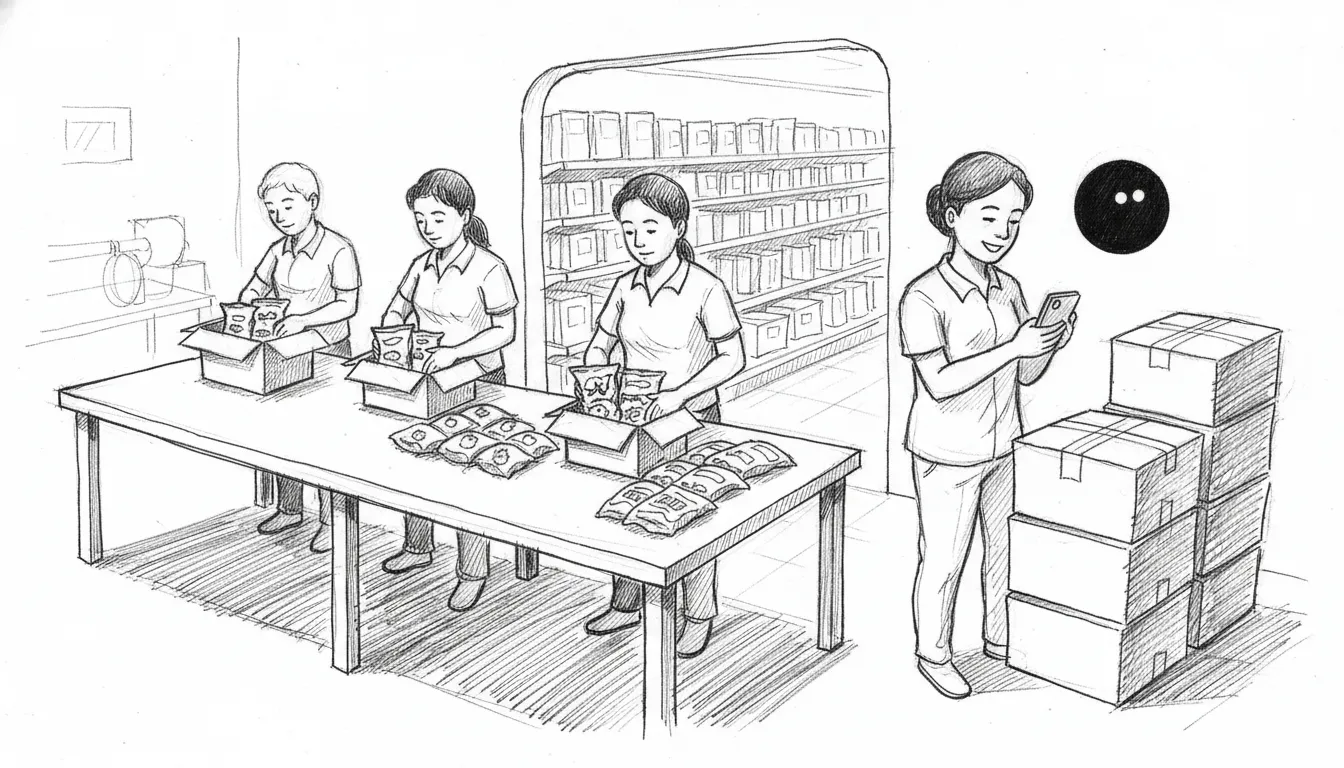
A small food maker selling to supermarkets lives in WhatsApp. Every branch has a group. Every buyer orders in their own words: “24 sea salt, 12 pepper”, “same as last week”, “can send tomorrow?”.
Then someone in the office retypes each one. They check the cut-off, chase the branch that forgot the outlet name, and scroll back through forty groups to find who complained about crushed packs.
Here's how a Cupbots bot runs those groups. We run every scenario below against the real bot on WhatsApp before we write about it. The products are tempeh chips; the branch names are made up.
1. Orders, read back and submitted
The buyer orders the way they always do. The bot matches each line to your products, fills in the branch from who sent it, and reads the order back with the delivery date.
2. Your team confirms, not the bot
“Submitted” isn't “confirmed”. The order waits for your team in the hub. You check stock and price, confirm it, and the branch hears back in its group. The bot can't promise stock it can't see, so it never does.
3. “Same as last time”
Supermarket buyers reorder the same things every week. The bot copies the branch's last order into a new one at today's prices and shows it before submitting.
4. Cut-offs and urgent deliveries
Tell the bot your cut-off and delivery days once. It answers “when will it arrive?” with the real date. When a buyer pushes for sooner, it says no politely and alerts your delivery manager.
If a truck has room, your manager says yes in the group. The bot never makes that call for them.
5. Claims and statements reach the right person
Crushed packs, an expired batch, a short delivery. These need a person, and usually not the one who takes orders. The bot sends each kind to its own people: claims to whoever handles claims, statements to accounts.
URGENT | Claim | Bangsar branch | Kavitha
Customer said:
"Last delivery came with 3 packs crushed and one expired, what do we do?"
The group keeps working while the claim is open. The next branch order still goes in.
6. Overdue accounts can't keep ordering
Set a credit limit, such as 30 days overdue. An order from a chain past it is saved as held, not lost. Finance gets an alert, and the buyer never sees “you owe us RM40k” in a group full of their staff. Exempt the accounts that pay late by agreement.
7. Products a chain hasn't listed
Supermarkets list products chain by chain. Block a product, or a whole range, for one chain, and the bot won't take it. It doesn't say “not available”. It sends your holding line, tells your sales team, and takes the rest of the order.
8. New flavour? Tell every branch, safely
Launching a product means one message to every branch. Sending to a hundred groups at once is how a number gets flagged, so the bot sends 15 at a time with random gaps and a few minutes' break between batches. Long lists finish on their own.
9. Prices stay where you want them
Branch buyers often shouldn't see prices; head office negotiates them. Turn prices off for a group and the bot never sees a number to leak. Turn off upselling too, and it takes each order exactly as given.
Setting it up
We load your products and your branches, then add the bot to each branch's group. Cut-offs, delivery days, who gets which alert and which chain can't buy what are all set by chatting to your bot (“Cut-off is 3pm, we deliver Mon, Wed and Fri”) or in the hub.
What it doesn't do yet
The bot doesn't read purchase orders sent as PDFs, and it doesn't plan your delivery routes. It doesn't connect to a supermarket's supplier portal either. Orders still reach you through WhatsApp, which is where your buyers already are.
Want this running in your branch groups? Message us and we'll set it up with you.
FAQ
Can a WhatsApp bot take orders from supermarket branches?
Yes. Each branch keeps its own WhatsApp group. The bot reads the order, matches it to your products, reads it back with the delivery date, and submits it when the buyer says yes.
Does the bot confirm orders by itself?
No. A submitted order waits for your team in the hub. You check stock and price, confirm it, and the branch hears back in its group.
What if a buyer orders after the cut-off and wants it tomorrow?
The bot gives the next real delivery date from your cut-off and delivery days. It never promises tomorrow. It alerts your delivery manager, who can say yes if a truck has room.
Where do claims for crushed or expired packs go?
To whoever handles claims, as an alert with what the buyer said. Statement requests go to your accounts team. You set who gets each kind of alert.
Can I stop a branch ordering while its account is overdue?
Yes. Set a limit, such as 30 days overdue. An order from that account is saved as held, finance is alerted, and the branch is never told the reason in the group.
Let your bot take the branch orders
Your bot takes each branch's order in its own group, gives the real delivery date, and sends claims and statement requests to the right person.
See it for food makers →100% satisfaction guaranteed or your money back.
Don't figure out AI alone.
Join a community of business owners discovering what AI can do — new skills every week, $9/mo.
Join the Circle — $9/moRead next

A WhatsApp bot for property managers: repairs, contractors and rent in the groups you already run
How a Cupbots WhatsApp bot runs a property manager's tenant and contractor groups: repair jobs with photos, contractor bookings, “any update?” answers, and rent with a pay link.
What’s new: one word stopped a bot following its rules. Here’s what we fixed
One word made a Cupbots WhatsApp bot ignore its rules for three days. What we fixed, plus handovers, real prices, quiet mode for staff and private chats.